 Headerloom for Chrome
Modify HTTP headers.
Per site. Safely.
Send auth and feature-flag headers to staging, debug CORS and framing, and point production scripts at your local build, on the sites you choose and nowhere else.
Free: 1 profile, 3 request headers. No site access until you add a site.
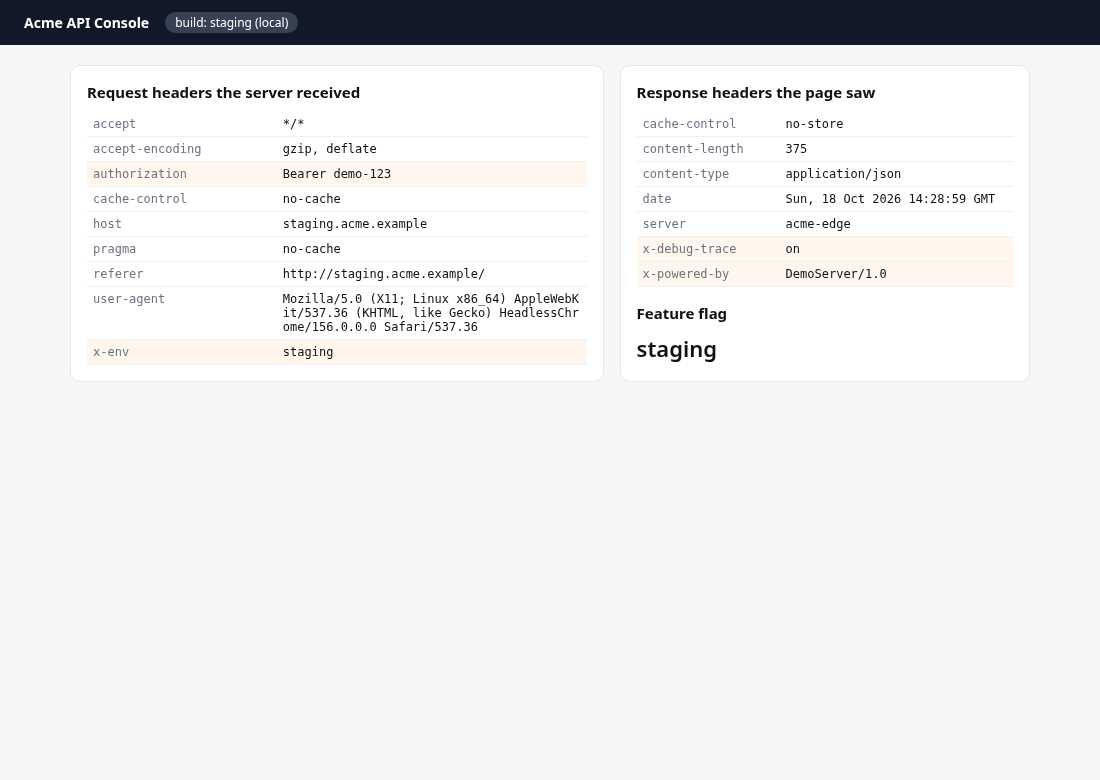
Everything you need from a header editor
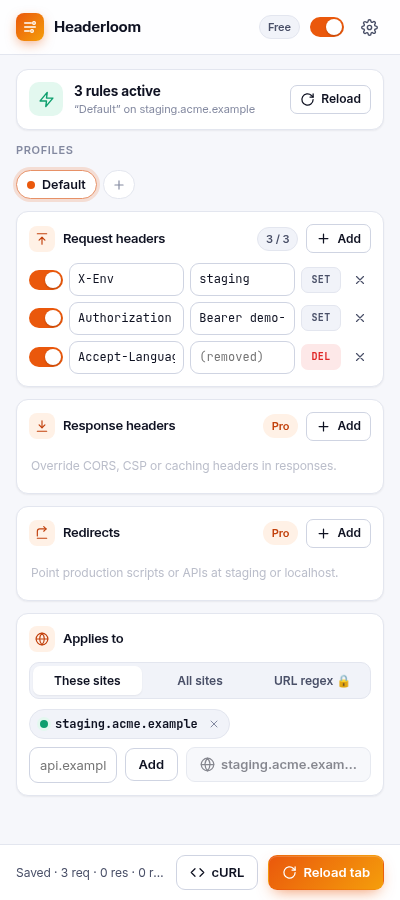
Request headers
Set, append or remove any header, each with its own switch. Invalid names and headers Chrome won't change are flagged inline.
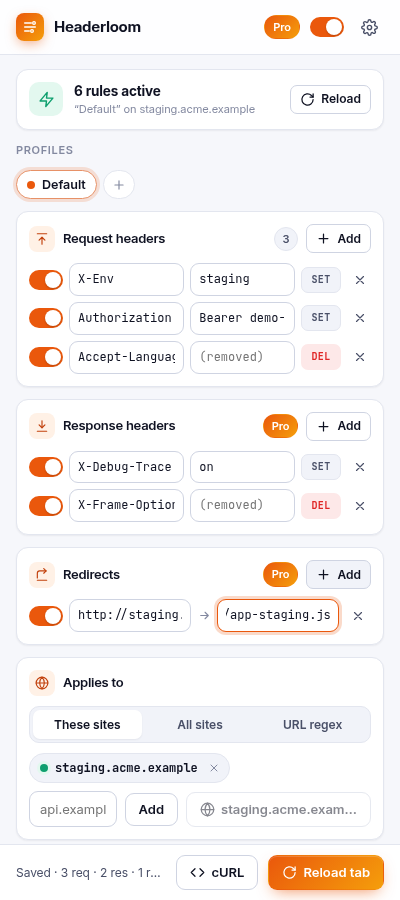
Response headers & redirects (Pro)
Override CORS, CSP or X-Frame-Options, and redirect a URL prefix to staging or localhost.
Profiles & master pause
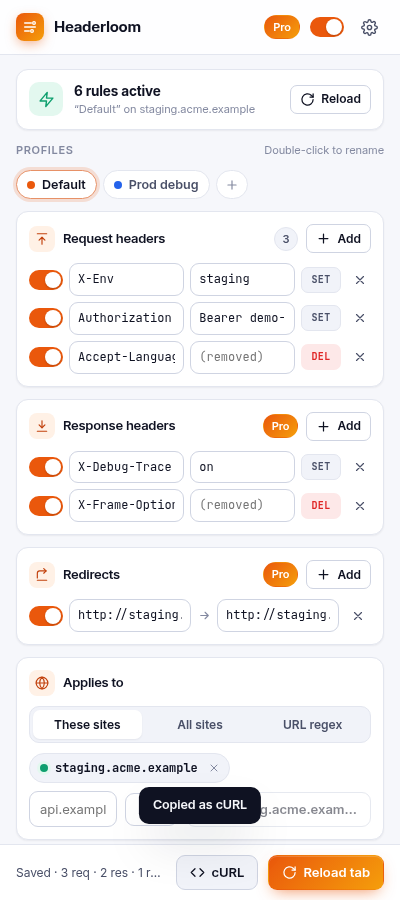
Switch between dev, staging and debug setups in one click. One switch turns everything off; the badge shows OFF.
Import & export
Import a ModHeader profile export or a Headerloom JSON file you saved. Export yours anytime. Copy active headers as cURL.
Chrome runs the rules
Rules use Chrome's declarativeNetRequest engine, so Headerloom never reads your traffic, page content or history. Privacy policy
No access at install
Access is requested one site at a time when you add it, or for all sites only if you choose that. No ads, analytics or remote code.
Pricing
Free for everyday use. Pro for teams of environments.
Free
- 1 profile
- 3 request headers
- Per-site scope, master pause
- Import/export, copy as cURL
Pro yearly Save 40%
- Unlimited profiles and headers
- Response headers and redirects
- Regex URL filters
- Priority email support
Pro monthly
- Everything in Pro
- Billed monthly
- Cancel any time
Prices in USD. Sales tax/VAT is calculated at checkout by our reseller, Lemon Squeezy. 14-day money-back guarantee. Refund policy · Terms
FAQ
Can I bring my ModHeader profiles?
Yes. Use ModHeader's export to save your profiles as a JSON file, then choose that file in Headerloom Settings → "Import JSON file". Headers, response headers, URL filters and URL replacements are mapped. Headerloom only reads the file you pick; it never accesses other extensions.
Does Headerloom see my traffic?
No. It gives Chrome a set of rules, and Chrome applies them. The extension can't read requests, responses or page content.
Where are my header values stored?
Only in your browser's extension storage. They are never sent to us. Treat tokens you paste like any locally stored secret, and prefer test credentials.
ModHeader is a trademark of its owner. Headerloom is not affiliated with or endorsed by ModHeader.