 Requarry for VS Code
API requests in plain files.
Right next to your code.
Write requests in .http files, click Send, read the response beside your editor. Environments, variables and history, with no account, no cloud workspace and no telemetry.
Free forever: send requests, environments, variables, chaining, history. Your requests go only to the servers you call.
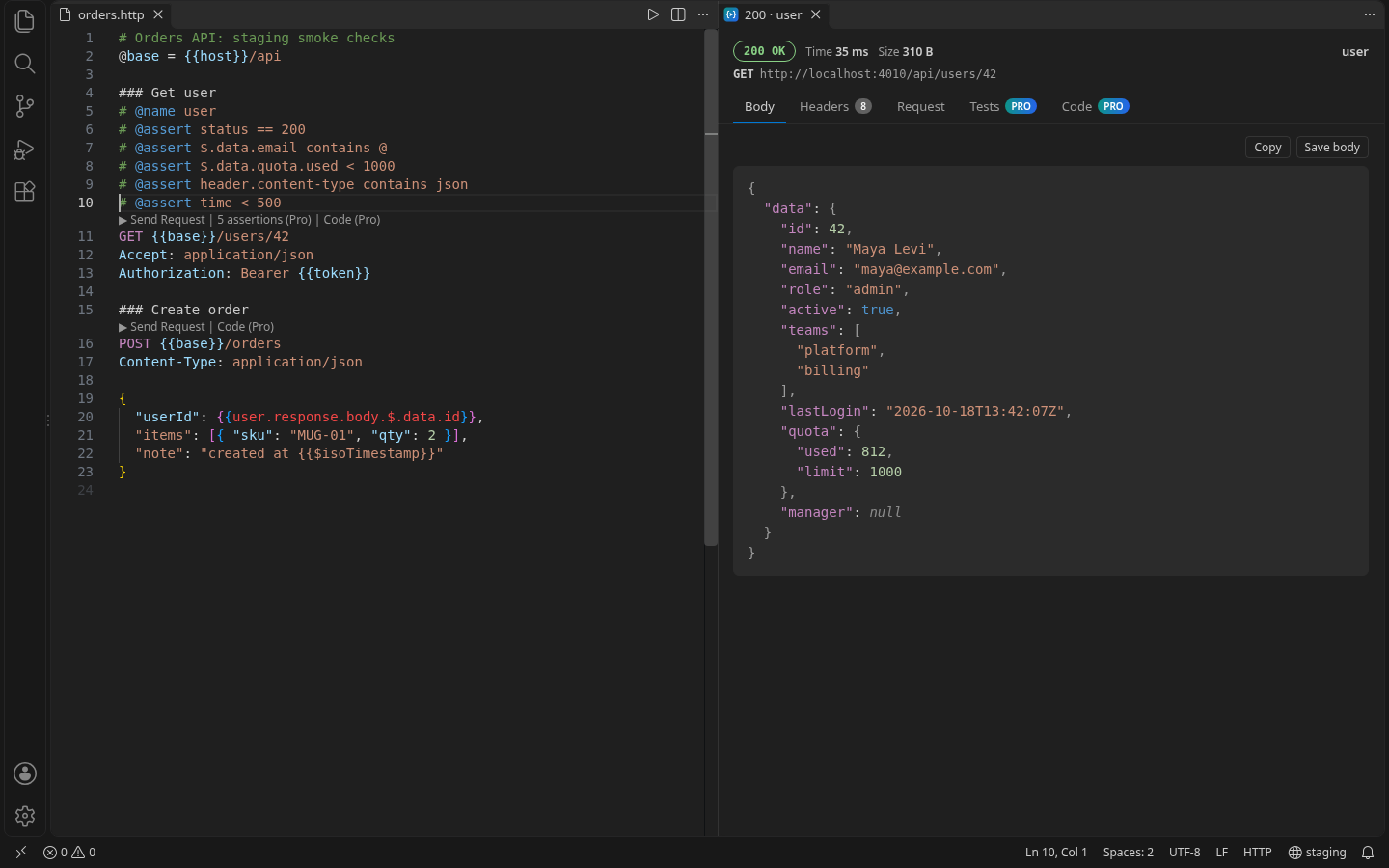
Plain .http files
Requests live in your repo, reviewed like code. Compatible with the common .http format.
Environments & variables
Switch between local, staging and production. File variables, .env values and request chaining: use one response in the next request.
Local-first
No account, no sync service, no telemetry. History stays in VS Code on your computer. Privacy policy
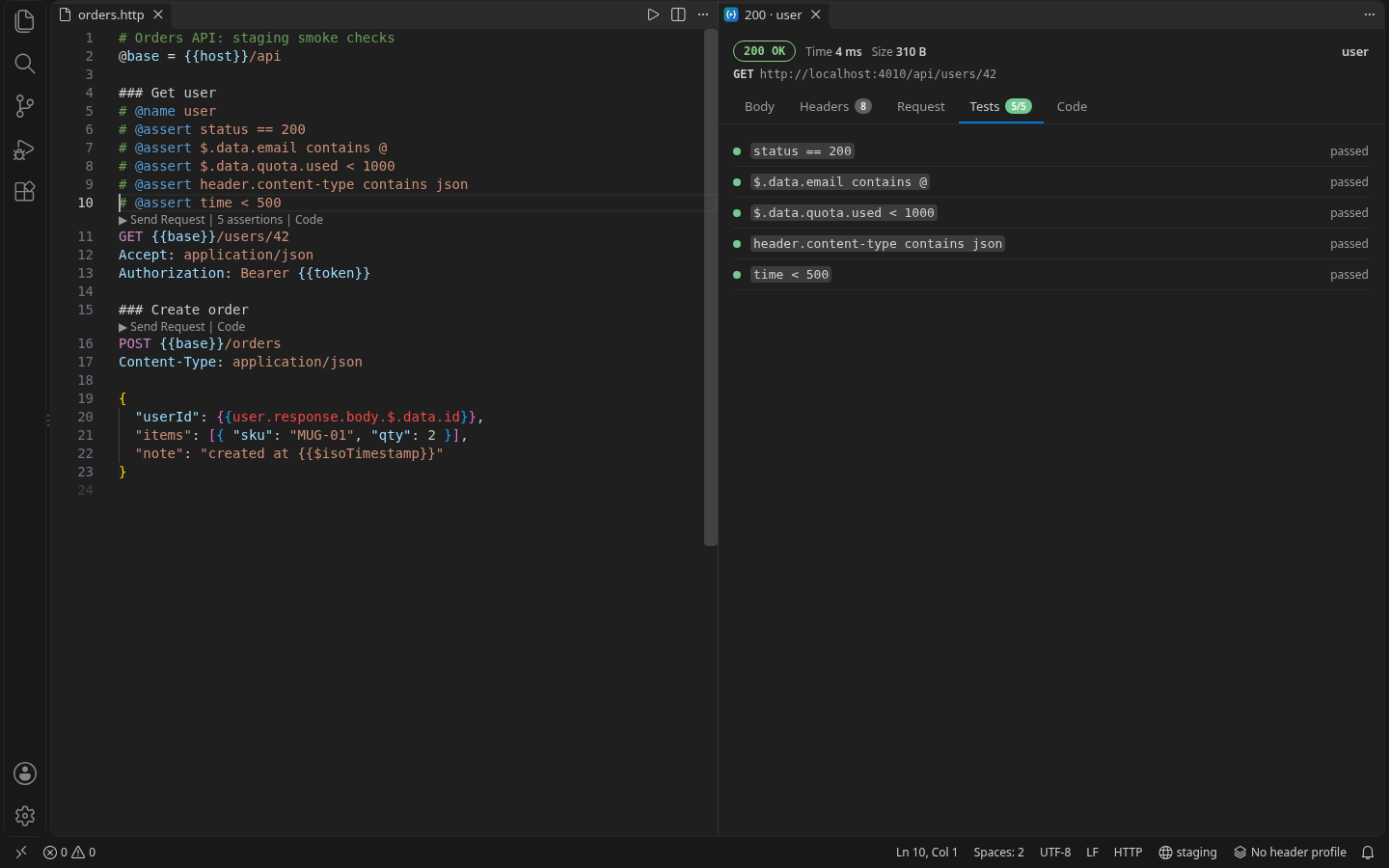
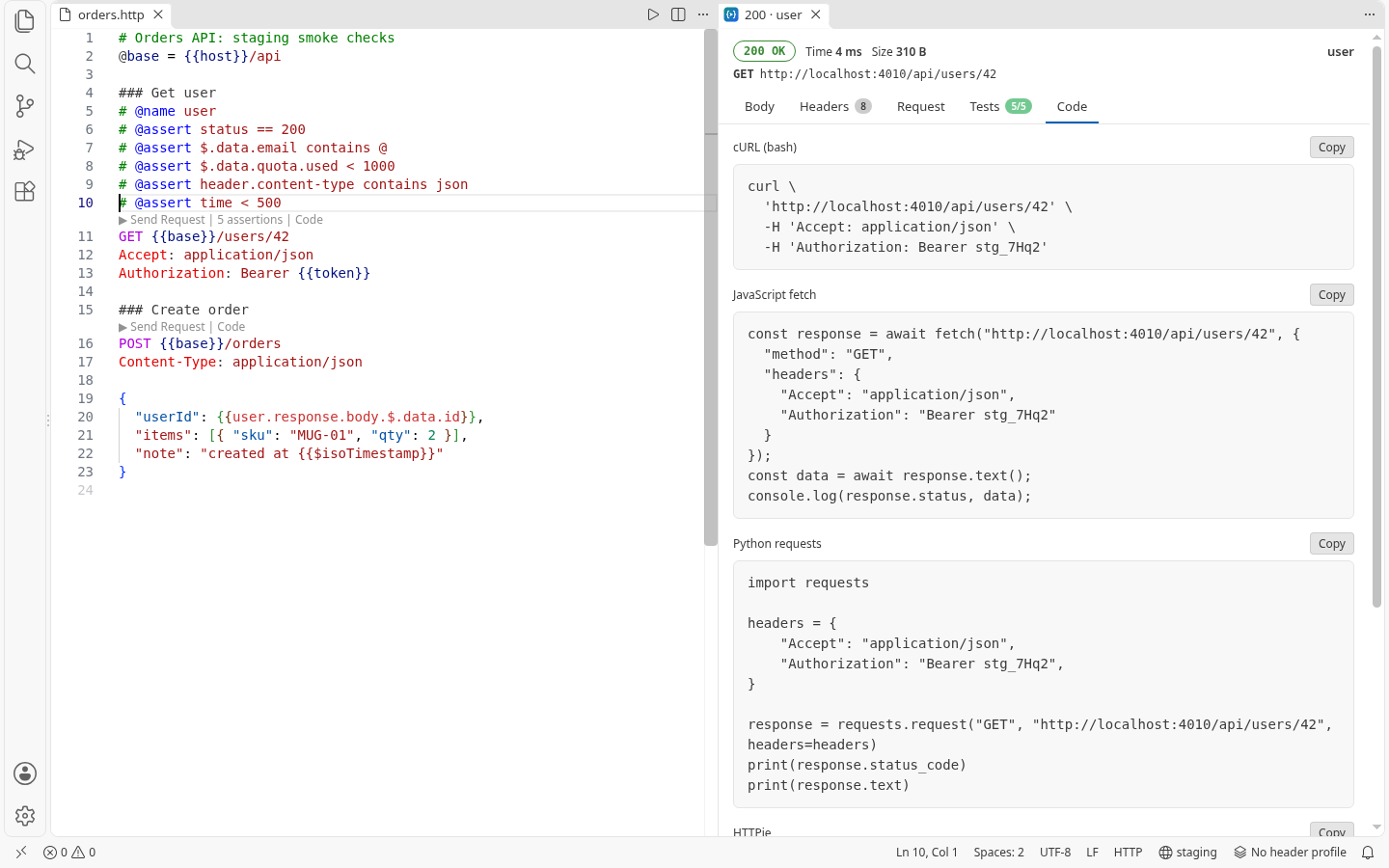
Pro: tests & codegen
# @assert checks on status, JSON, headers and time on every send. Generate cURL, fetch, Python, HTTPie or PowerShell code.
Pro: import collections
Convert Postman v2.1 and Thunder Client exports into .http files, with folders, variables, auth and bodies.
Pro: team file
Share header profiles (Headerloom format) and environments through .requarry/team.json in your repo. Secret-looking values are never written.
Pricing
Free for everyday use. Pro is unlocked in the extension with a license key; no account.
Free
- Send requests from .http files
- Environments, variables, chaining
- cURL paste, cookies, history
- No account
Pro yearly Save 25%
- Test assertions
- Code generation
- Postman / Thunder Client import
- Header profiles and team file
Pro monthly or lifetime
- Everything in Pro
- Or $59 once, for life
- Cancel monthly any time
Prices in USD. Sales tax/VAT is calculated at checkout by our reseller, Lemon Squeezy. 14-day money-back guarantee. Refund policy · Terms