 Stepcairn for Chrome
Click through it once.
Get the guide.
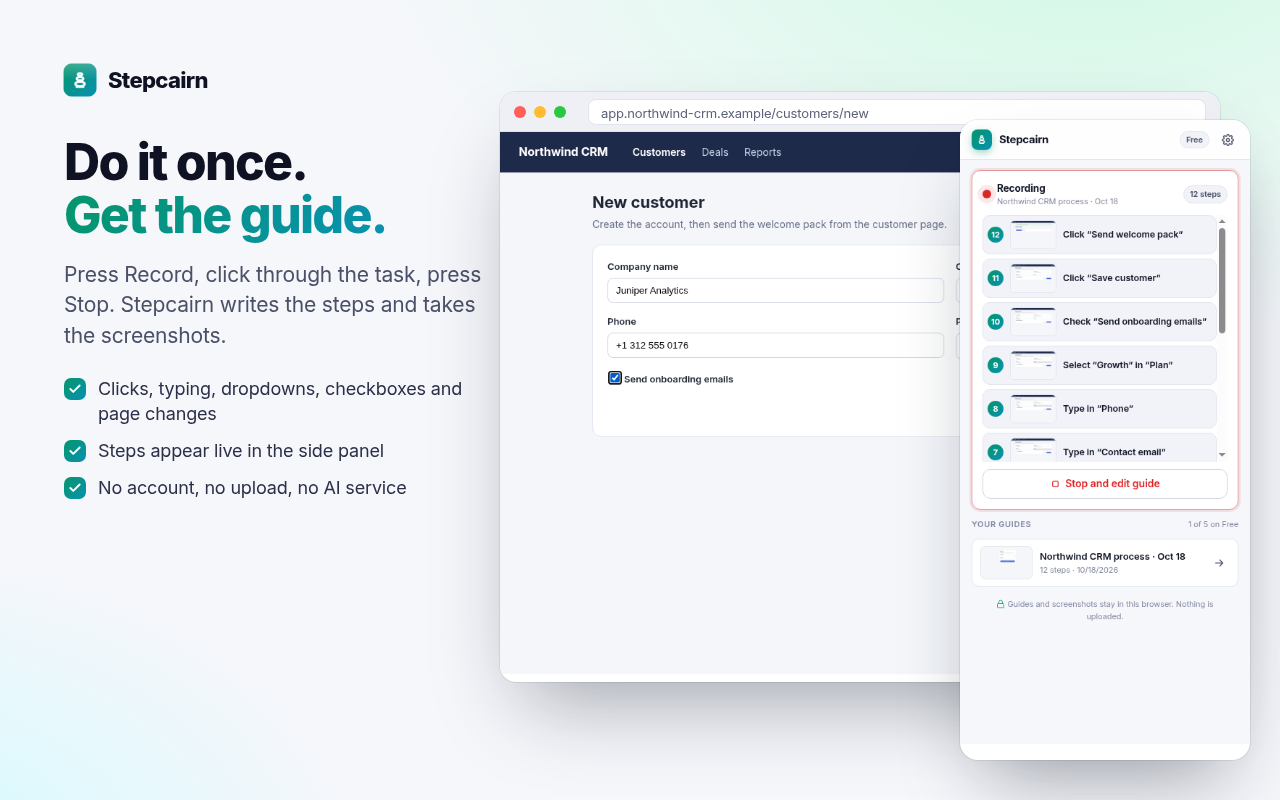
Press Record, do the task in your browser as usual, press Stop. Every click, field and page change becomes a numbered step with a screenshot. Edit, blur and export it as HTML or Markdown.
Free: 5 guides, HTML and Markdown export, password blurring. Guides never leave your computer.
SOPs, onboarding docs and support answers in minutes
Record once
Clicks, typing, dropdowns, checkboxes and page changes become steps, each with a screenshot and the click highlighted. Watch them appear live in the side panel.
Edit and export
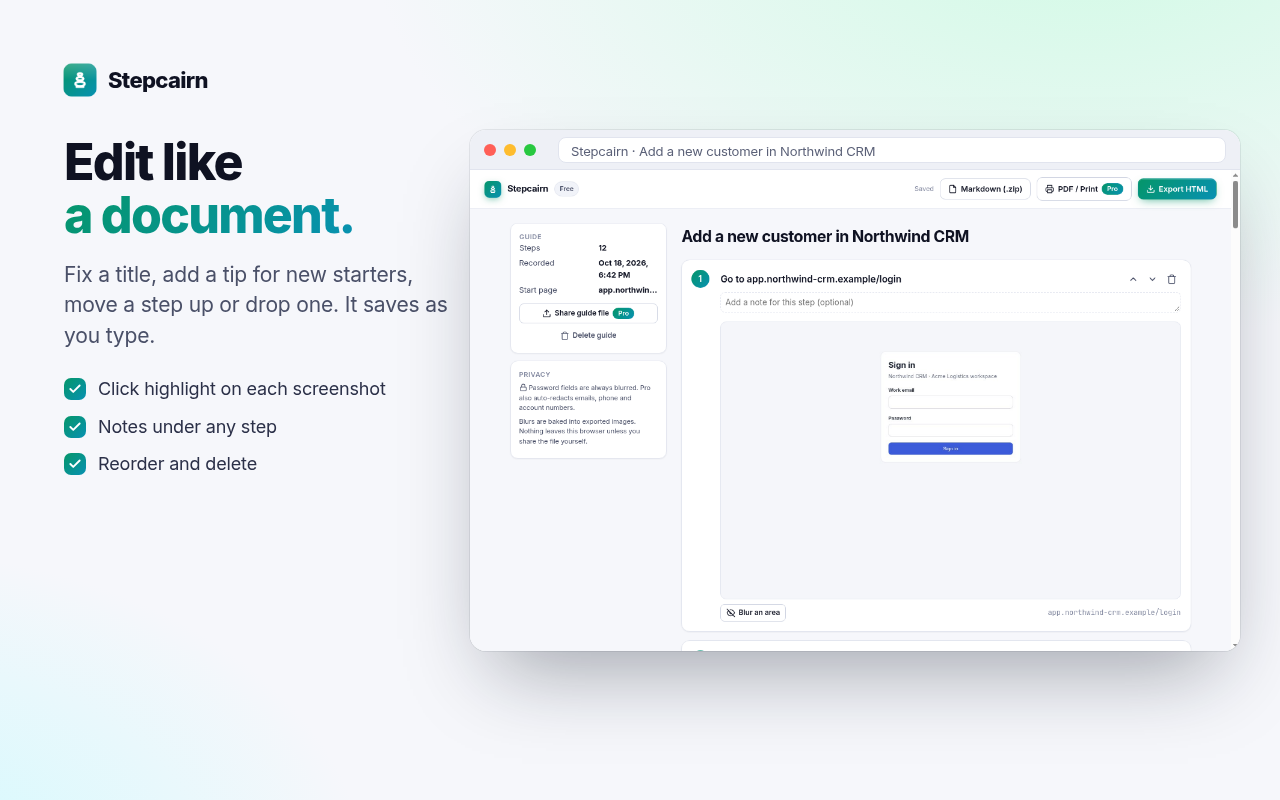
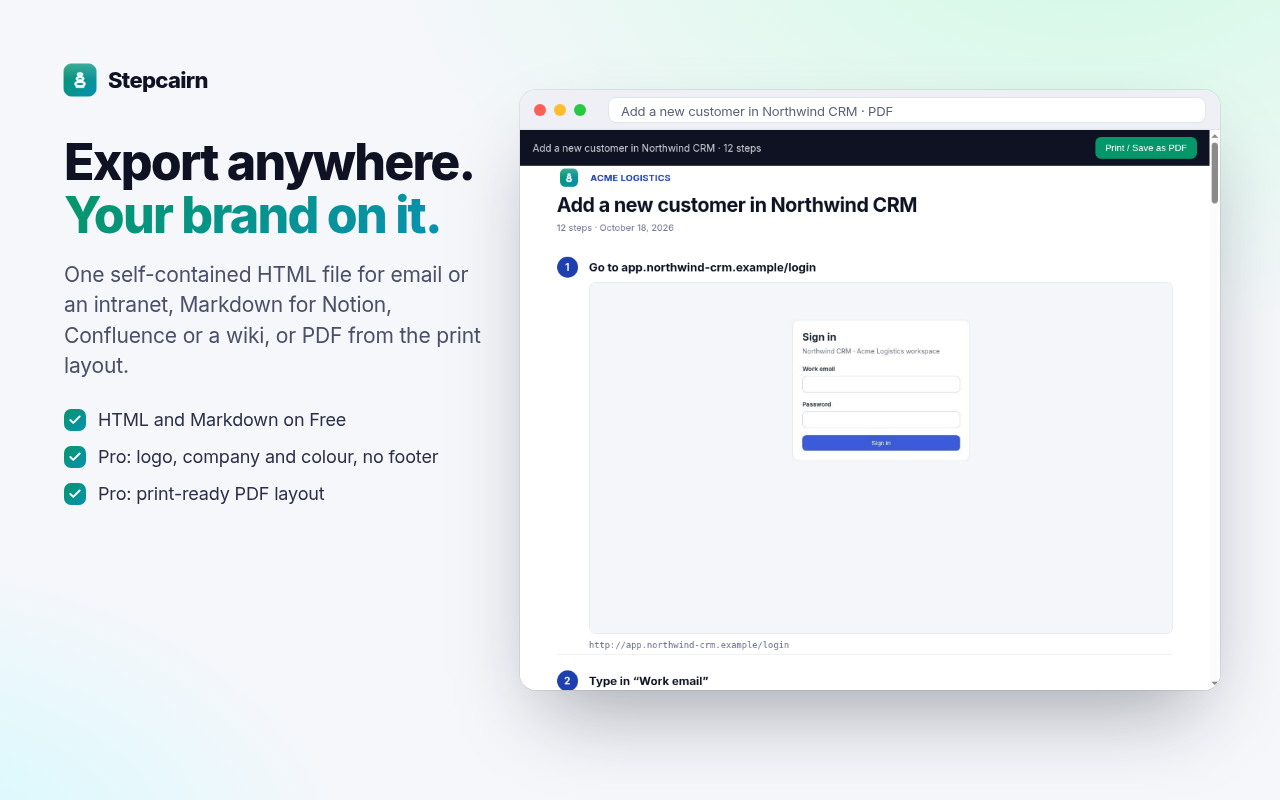
Rename, annotate, reorder or delete steps. Export one self-contained HTML file, or Markdown with an images folder for Notion, Confluence, GitHub or any wiki.
Blur that really blurs
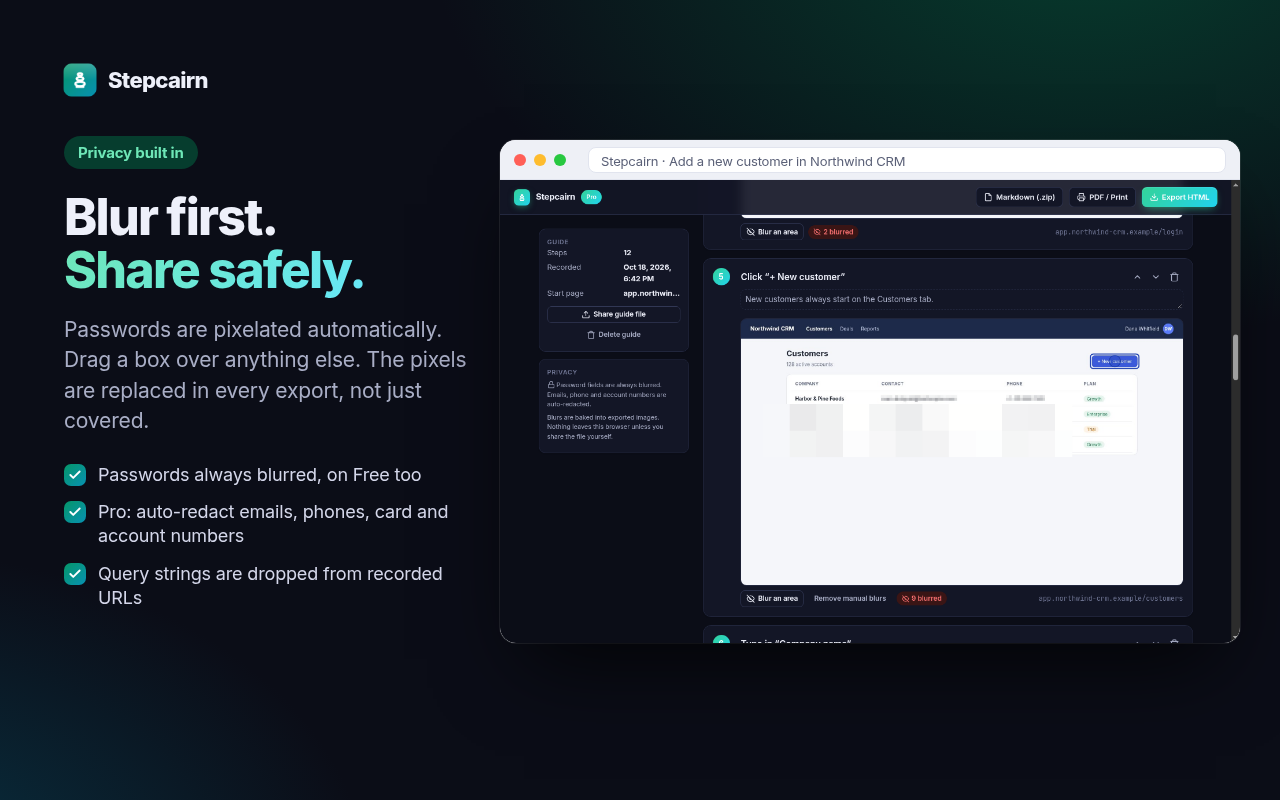
Password fields are always blurred. Drag a box over anything else. Exports replace the pixels, so nobody can remove the blur.
Kept local
Guides and screenshots are stored in your Chrome profile and never uploaded. Internal tools, admin panels and customer records stay off other people's servers. Privacy policy
Careful by default
Typed text is not stored unless you switch it on, and never for passwords. Recorded addresses keep only the site and path; query strings, which often carry tokens, are dropped.
Pro: your brand
Your logo, company name and colour on every export, no footer, a print-ready PDF layout, auto-redaction of emails and card numbers, and guide files you can share with a teammate.
Pricing
Free for your first guides. Pro when guides become part of how your team works.
Free
- 5 guides
- HTML and Markdown export
- Password blurring, manual blur
- Light and dark themes
Pro yearly Save 33%
- Unlimited guides
- Your logo, name and colour; no footer
- Print-ready PDF layout, auto-redaction
- Shareable guide files
Pro monthly
- Everything in Pro
- Billed monthly
- Cancel any time
Prices in USD. Sales tax/VAT is calculated at checkout by our reseller, Lemon Squeezy. 14-day money-back guarantee. Refund policy · Terms
FAQ
Why does it ask for access to all sites?
Chrome only lets an extension take tab screenshots with page access, and a process often spans several sites (an app, its login page, a payment page). The permission is optional and asked for the first time you press Record. The recorder runs only in the tab you are recording, only while you record.
Where are my guides?
In your Chrome profile (IndexedDB). They are not synced and never uploaded. Uninstalling Stepcairn deletes them, so export the ones you want to keep.
Can I share a guide with a teammate?
Export it as HTML or Markdown and share the file the way you share any document. With Pro you can also export a Stepcairn guide file that a teammate imports and edits.