 Hoistdeck for VS Code
Save the file.
It's on the server.
Upload on save over SFTP, FTP and FTPS. Your SFTP extension stopped working? Import .vscode/sftp.json in one command. Passwords go into your OS keychain, never into the file.
Free: 1 server profile with upload on save, upload/download, compare and the remote file view.
Upload on save
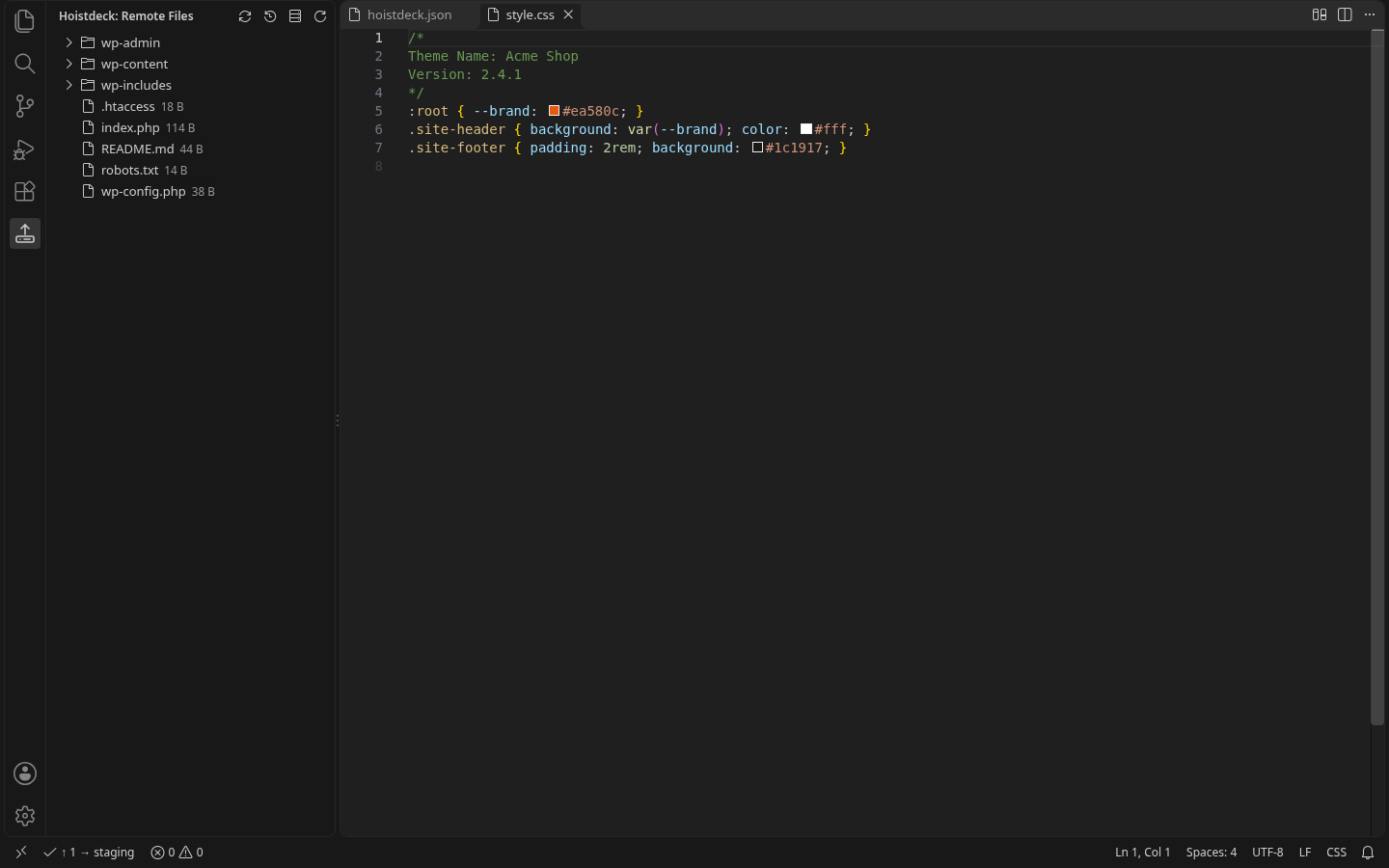
Saved files go up straight away; the status bar shows what went where. Upload, download and compare any file or folder with the server.
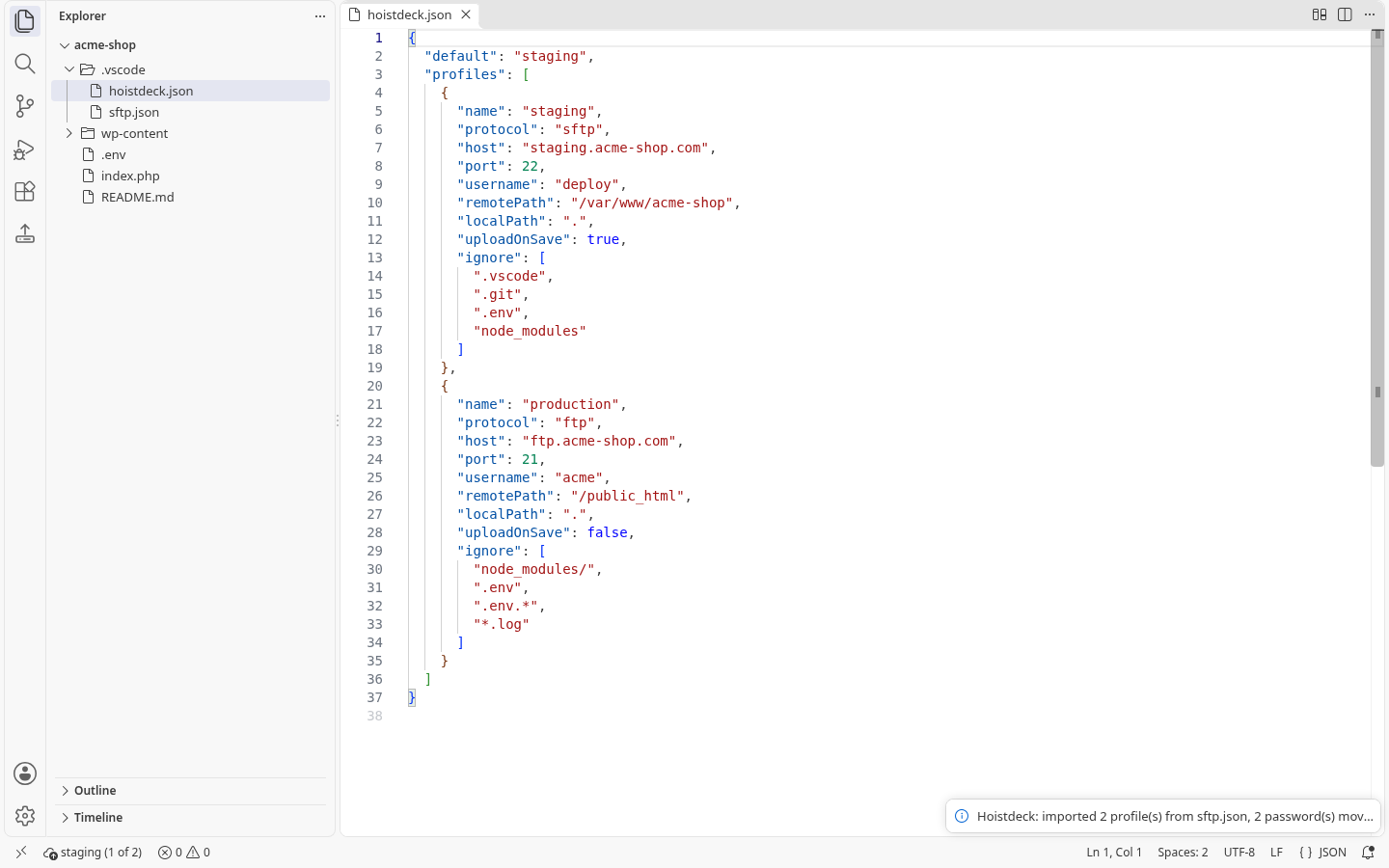
Imports sftp.json
Single-object, array and profiles forms of the popular SFTP extension's config. Unsupported keys are listed after import.
Secrets in the keychain
Passwords and key passphrases are kept in VS Code SecretStorage (macOS Keychain, Windows Credential Manager, libsecret). A password typed into the config is rejected.
Host keys checked
The server's SSH host key is shown on first connect and remembered. If it ever changes, Hoistdeck stops and asks before sending anything.
Safe by default
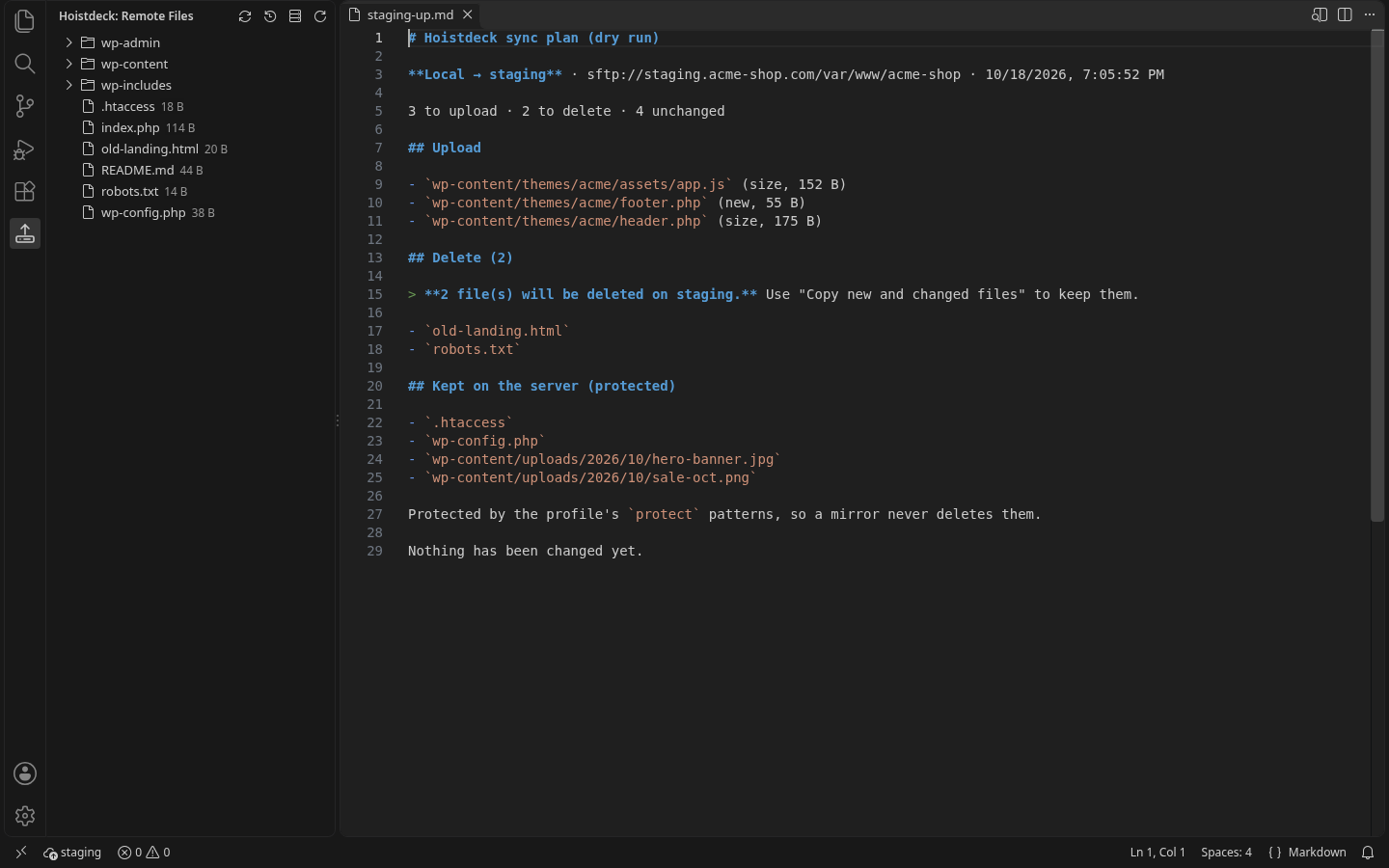
Configs, .git/ and .env are never uploaded. Sync (Pro, with a dry-run preview and conflict detection) never deletes protected server paths such as wp-config.php, .htaccess or uploads/.
Undo on the server
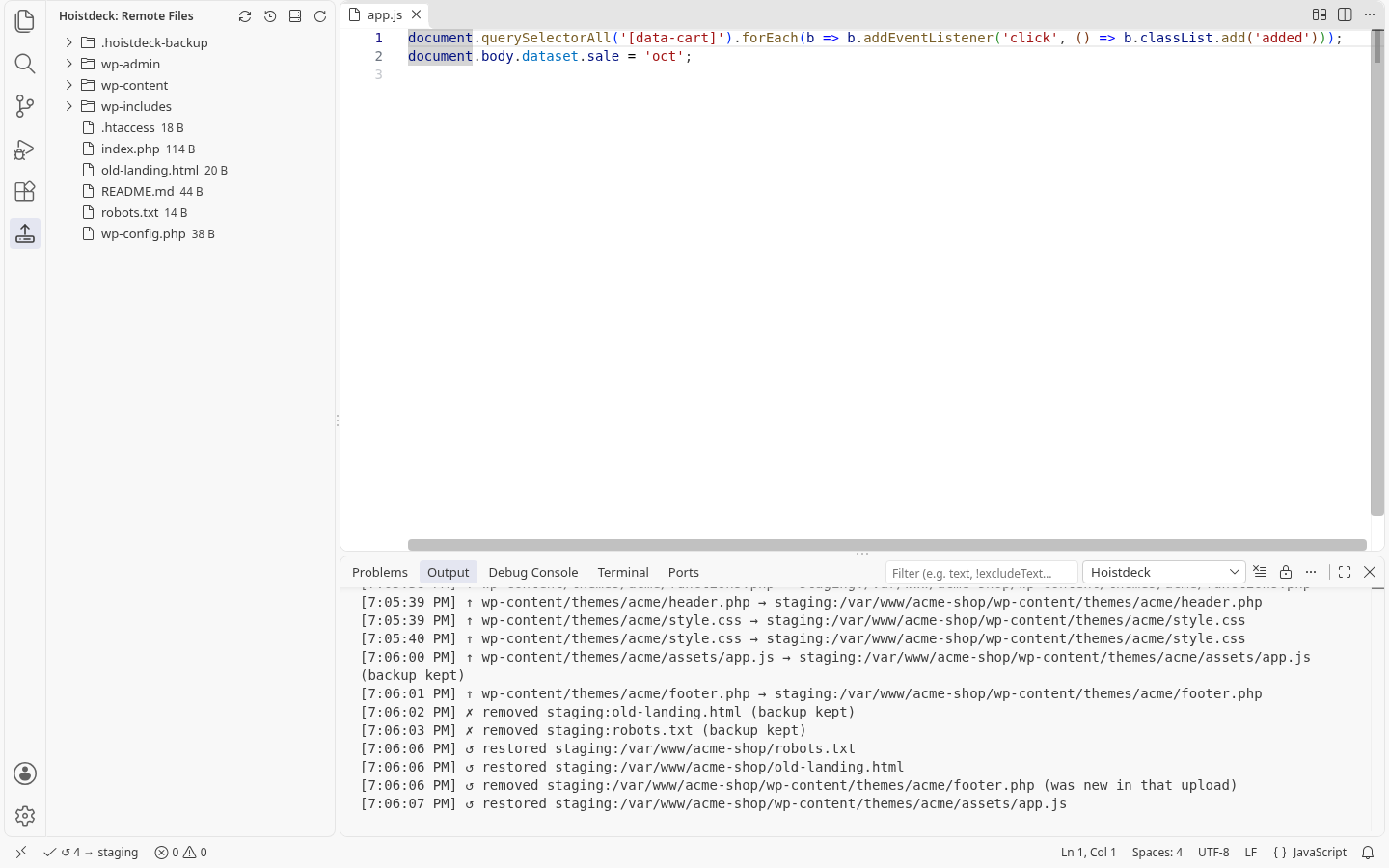
Free keeps one automatic backup of each file it overwrites or deletes, on your own server. Restore Previous Version puts it back in one click. Pro adds full backup history and roll back of a whole upload or sync.
Pricing
Free for everyday use. Pro is unlocked in the extension with a license key; no account.
Free
- 1 server profile
- Upload on save, upload/download
- Compare with the server, remote view
- One backup per file + one-click restore
- sftp.json import
Pro yearly Save 33%
- Unlimited profiles, upload to all
- Sync with dry-run preview
- Full backup history and roll back
- Conflict detection
Pro monthly or lifetime
- Everything in Pro
- Or $39 once, for life
- Cancel monthly any time
Prices in USD. Sales tax/VAT is calculated at checkout by our reseller, Lemon Squeezy. 14-day money-back guarantee. Refund policy · Terms
FAQ
Where do my files go?
Only to the servers in your hoistdeck.json. Hoistdeck has no cloud service; we never see your files or credentials. Privacy policy
Can a sync delete my uploads folder?
No. Mirror mode never deletes the profile's protected paths, each sync shows its plan first, and deleted files are moved into .hoistdeck-backup/ on the server so roll back can restore them.
I overwrote a file on the server by mistake. Can I get it back?
Yes, also on the free plan. Before Hoistdeck overwrites or deletes a file on the server, it moves the previous version into .hoistdeck-backup/latest/ on that server. Right-click the file (or use the button in the Remote files view) and choose Restore Previous Version. Free keeps the latest previous version of each file; Pro keeps a timestamped history (the last 20 uploads) and can roll back a whole upload or sync.
Does it work in VSCodium, Cursor and Windsurf?
Yes, install it from Open VSX.